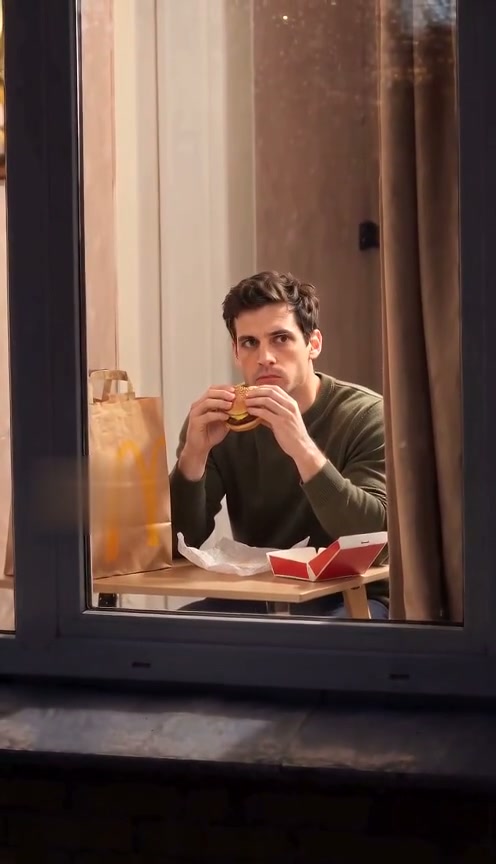
 10-second example
Scene 01
Window Peeper / Window burger
A window-side burger moment, a caught-in-the-act look, and a curtain pull.
Updated · Independent tool. Not affiliated with, endorsed by or sponsored by TikTok, CapCut, any template creator or any film or TV character.
As of 27 October 2026, this effect is a ten-second AI video of a person spotted through a window. It can look convincing because your photo guides the person, while a reference clip guides the camera path, timing and broad action. The prepared prompt supplies the staged setting, lighting, gestures and sound.
Make your videoUpload one photo, choose a quality, then buy a pack to generate.
Pay once · no subscription
A sharper 720p picture on a stronger model.
Add your photo now or later; it stays here through checkout
Reviewed AI sample
A window-side burger moment, a caught-in-the-act look, and a curtain pull.
| Picture element | How it is guided |
|---|---|
| Window reflections | The scene prompt calls for realistic reflections on the glass. |
| Indoor light | One studio window is warmly lit. |
| Outdoor light | Cool blue night contrasts with the warm room. |
| Window-frame composition | One continuous shot approaches the window from outside. |
The reference clip guides framing, timing and broad action; it is not a source for the person’s identity. The uploaded photo guides the face and appearance. The model still generates the final pixels and sound, so the result can differ from both the photo and the sample.
Scenes
10-second exampleScene 01
A window-side burger moment, a caught-in-the-act look, and a curtain pull.
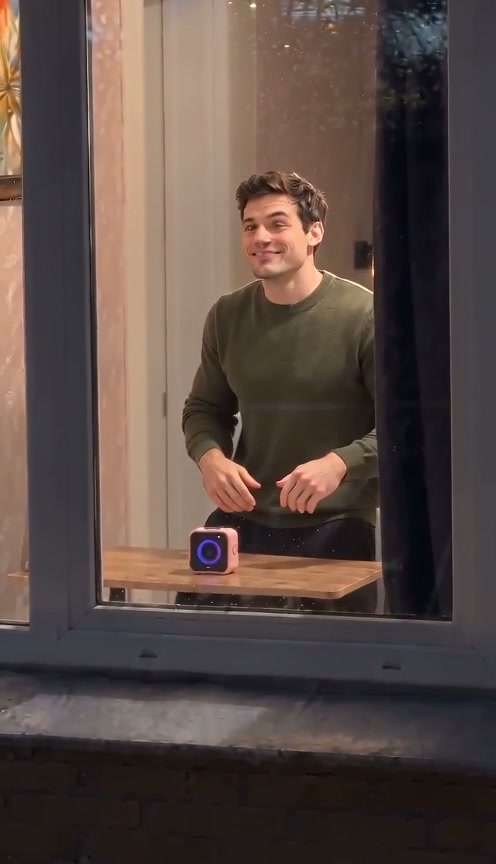 10-second example
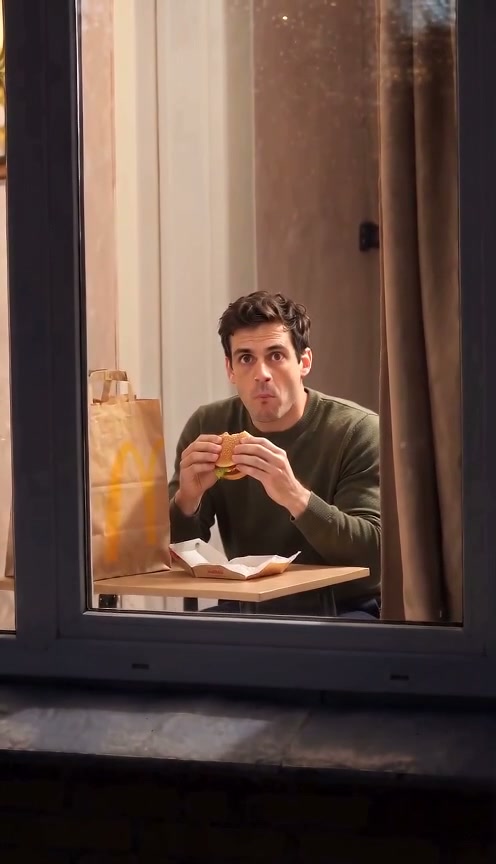 10-second example
Scene 03
A silent, expressive comedy beat at a window, inspired by physical comedy.
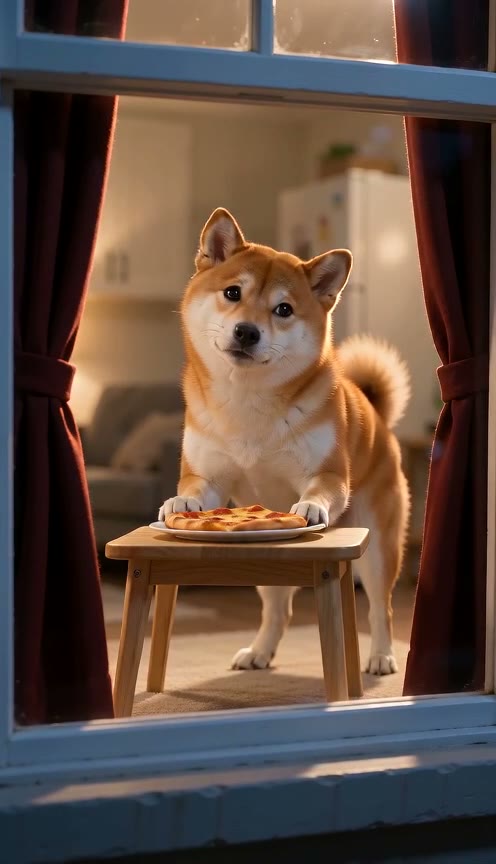
 10-second example
Scene 04
A pet notices the camera while eating beside a warmly lit window, then closes the curtain.
 10-second example
Scene 05
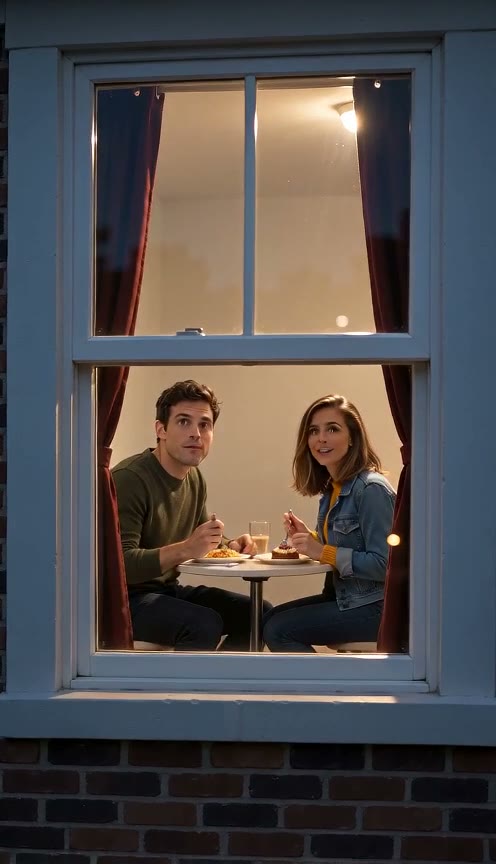
Two people share dinner at a warm window, notice the camera, smile, and close the curtain.
How it works
Choose a clear photo with the face visible so the video can use it as the subject reference.
Choose the burger-window moment, Window Dance, or Window Comedy.
Review the generated vertical video and download it when it is ready.
The prepared scene asks for a photorealistic set, a single camera move outside a window, realistic glass reflections, warm light inside, and cool night outside. Your photo guides who appears in that setting. The reference clip guides framing and broad motion, which helps the moment feel like a continuous shot. AI output still varies. Watch the scene examples before choosing a pack.
You need one clear photo with the face visible. The uploaded image is the person reference; you do not need to film yourself acting at a window. Choose a well-lit image without a mask, sunglasses, or text over the face. Use a photo you have permission to upload. How it works lists the accepted formats and walks through the remaining steps.
The current prepared scenes are set at night, with a warmly lit room seen from outside. The prompt is fixed in this workbench, so there is no daytime or nighttime switch. You can choose among a burger moment, a dance, original physical comedy, a pet scene and a two-person dinner, each with its own action. Read the prepared prompts to see what each selection asks the model to make.
Each finished video is ten seconds, vertical at 9:16, and includes generated sound. The scene has an approach, an action inside the room, a moment when the person notices the camera, and a curtain close. Timing and movement may vary in a generated result. You can choose 720p High quality or 480p Standard before purchase. Compare the qualities and packs before you start.
The model generates a new video rather than pasting your exact face onto existing footage. Your photo is the identity reference, and the prompt asks it to preserve facial features, hair and skin tone, but a close resemblance is not guaranteed. Results can vary with the input photo and generation. Use a sharp, evenly lit image. Photo guidance explains what to upload.
A successful video can vary from the sample and does not count as a failed generation just because you dislike it. If generation fails, its credit returns to your balance automatically. You can request a self-service refund within 7 days of payment in Settings → Billing; videos made from that purchase are deducted at your paid per-video rate, and the unused part is refunded. Read the terms for the full policy.